

By the end of this lesson, you would understand what the heading elements are in HTML, the different levels of heading in HTML, and how to use these elments in your webpage
HTML Headings
The heading elements in HTML are used to create headings on your webpage. One unique thing about them though is that, there are different levels of heading - the main heading, subheading(s) (the one that goes under the main heading ), the sub-subheading (the one that goes under the subheading), and the chain continues until the very last heading level.
Without the heading element, your browser wouldn't understand that a piece of text (as shown in the image below) should be a heading.
This is the main heading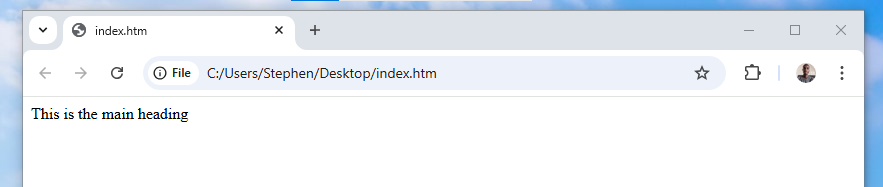 The browser displays the text as a normal piece of text
The browser just simply displays it as a piece of text.
Let's talk about the different level of heading in HTML and how to use them properly.
- There are 6 heading elements in HTML (h1, h2, h3, h4, h5, h6)
- The heading follow a hierarchy of importance where <h1> is the main, <h2> - <h6> are used to define sub-sections.
- All the heading elements come in pairs -a opening and closing tag
The h1 element
The h1 element is used to create the main heading of a page. This element has both an opening (<h1>) and closing tag (</h1>). let's try it out with the piece of code from before.
<h1>This is the main heading</h1>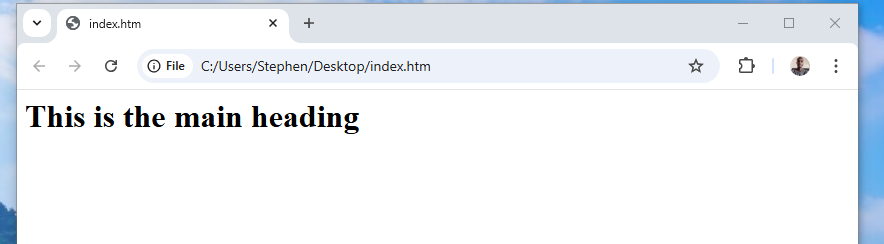 The browser displays the text as the main heading- bolder and bigger
Now, the browser knows that's the main heading and displays it as such (big and bold).
Knowing that the h1 element is the main heading of the page, how many main headings should a page have? (take some time to think about it ). Also, how many h1 elements should a webpage have?
One! A page should have only one main heading. This is the rule applied in any written document that makes use of headings (letters, essays, blogs, emails...e.t.c). A page should have just one main heading and by extension, one h1 element.
The h2 element
The h2 element is used to create a subheading that comes under the main heading of a page.
Assumining you want to write an article on HTML titled 'What is HTML?' (main heading).
One of the subheadings in your article might be 'Why do we need it?'
Because the subheading comes directly under the main-heading, the subheading should be created using the h2 element.
This shows hierarchy, in effect saying this heading is one level lower than the heading above it.
<h1>What is HTML?</h1>
<h2>Why do we need it?</h2>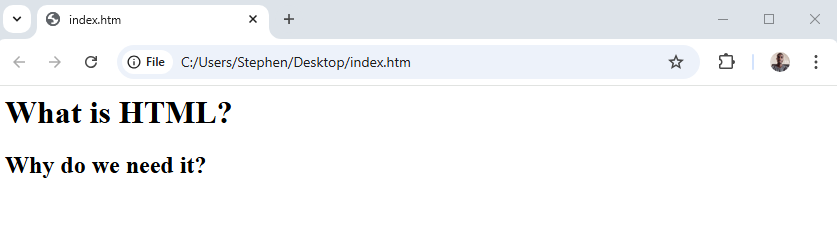 The browser sees the text 'why do we need it?' is a subheading under the main heading
Can you notice the subheading (h2 element) is smaller than the main heading? Just by mere looking at the page, their sizes makes it clear which piece of text is the main heading and which is the subheading. You can have as many subheadings as you need, it all depends on how you want to structure your webpage.
Just in case you're asking 'what about the paragraphs?', we'll add paragraphs soon, for now let's focus on the heading structure
The h3 element
Now let's say in the article, under the subheading 'why do we need it?', you want to outline two reasons. You want each of these reasons to be their own subheadings. Since the subheadings are going to exist under the h2, you should use the h3 element, not another h2 element.
<h1>What is HTML?</h1>
<h2>Why do we need it?</h2>
<h3>A Standard for structuring a webpage</h3>
<h3>Easier access to documents on the web</h3>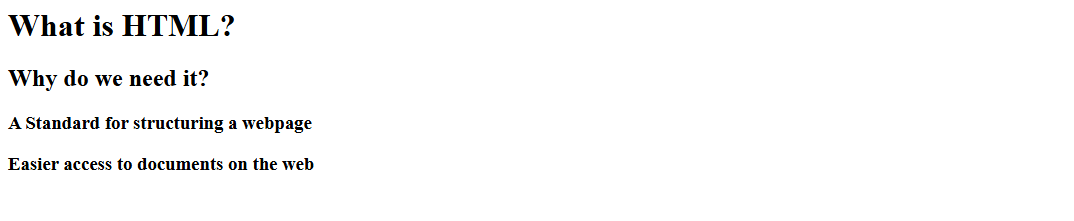 The browser sees the last two headings as headings under the h2 element
Can you notice that the h3 element is smaller than the h2 elment? Just as the size shows, the h3 element should be used as a direct subheading under the h2 element.
The principle is the same...
-
if you want to have a subheading in a section having an h3 element as it's heading, that subheading should be an h4 element.
-
if you want to have a subheading in a section having an h4 element as it's heading, that subheading should be an h5 element.
-
Finally, if you want to have a subheading in a section having an h5 element as it's heading, that subheading should be an h6 element.
You can have as many subheadings as you want, it all depends on how you want the page to be structured.
The code snippet below shows how each level of heading is displayed on the browser.
<h1>This is the main heading</h1>
<h2>This is a subheading under the previous heading</h2>
<h3>This is a subheading under the previous heading</h3>
<h4>This is a subheading under the previous heading</h4>
<h5>This is a subheading under the previous heading</h5>
<h6>This is a subheading under the previous heading</h6>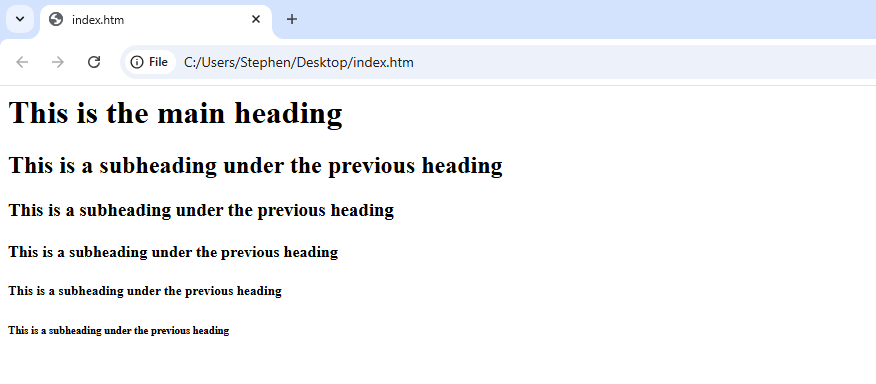 h1 is the main heading, and every other heading is a subheading to the heading level above it
When using any of the heading elements, make sure to follow the proper hierarchy structure. Don't use a heading tag simply because of the size, use the proper heading element at each section.
You may be curios about how to change the color or size or font-type of the heading (smile). If you are, that's very nice. But don't worry about that yet. HTML is only used to structure the webpage. When it's time for add styles to the page, we'll do that with another technology called CSS. For now, let's focus on creating the structure of our webpages first
So that's it with the heading elements in HTML. Remember to use the headings properly following their hierarchy. Next, we'll learn about the paragraph element.